Back to Blogs
Discover which video security platforms offer budget-friendly video search capabilities. Learn how AI indexes footage to save you hours of labor costs.
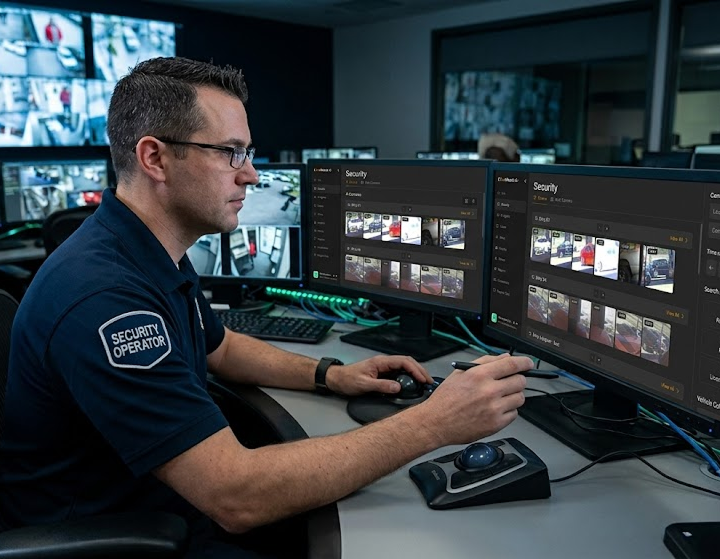
Every time a manager spends four hours scrubbing through security footage to find a two-minute incident, the business is paying for a problem that technology has already solved. AI video search indexes footage as it is recorded, turning hours of manual review into seconds of query time. For business owners evaluating platforms, the good news is that this capability no longer requires an enterprise budget or a full camera replacement. The right hybrid platform connects to your existing cameras and delivers fast, cross-camera search without the hidden costs that make other solutions impractical.
To understand the value of this technology, it is important to look at how traditional security systems function. A standard digital recorder is just a passive storage drive. It records video and saves it to a hard drive without understanding what is happening on the screen. AI video search is fundamentally different. It indexes objects, people, vehicles, and specific behaviors as the footage is being recorded. The system uses artificial intelligence to categorize visual data in real time. It is not just a playback feature. Because the software understands the context of the video stream, it allows users to search through days of footage using specific criteria rather than guessing timestamps.
The primary reason businesses need better search tools comes down to raw labor costs. When a security incident occurs, someone on your team must investigate. With an older system, finding the exact moment of an event requires a manager to sit in front of a monitor and manually scrub through hours of passive video. This tedious process costs real labor hours and drains your payroll budget. It pulls your leadership team away from managing operations and serving customers. Video search solves this problem directly by turning hours of manual review into seconds of query time. By automating the investigative process, the software pays for itself through direct labor savings and increased productivity.
The mechanics behind this rapid retrieval rely on localized computing power. The system utilizes edge processing to index the footage locally as it is captured. Because the heavy computational work occurs on the local device, the platform can tag and organize massive amounts of video data instantly without waiting for cloud servers to process the raw video. When an operator submits a query, the system cross-references this indexed data. More importantly, cross-camera search capabilities surface results from all connected cameras simultaneously. You do not have to search the lobby camera and then start a new search for the parking lot camera. The system tracks the event across your entire property at once.
When comparing different software options, buyers should prioritize accuracy and ease of use. A reliable platform must provide reliable cross-camera search so you can track an object or person across multiple camera viewpoints. You should also evaluate the software accessibility. Look for platforms that offer secure browser access. Your staff should be able to log into a web portal from any device. Avoid legacy systems that require frustrating app installs or manual IT upgrades just to view a simple video clip. Finally, verify the platform has strong retrofit compatibility so it can communicate effectively with different hardware brands.
As you explore different interfaces, you will encounter different ways to query data. Point-and-click search allows an operator to click on a specific object or person in a video frame and ask the system to find other instances of that exact item. Keyword or descriptive search allows a user to type a text description into a search bar, such as a person wearing a red shirt or a white delivery van. Both methods are valid and serve different investigative needs. The best platforms utilize innovative AI search that supports both modes, giving your operations team the flexibility to find exactly what they need regardless of how much initial information they have.
A common fear when upgrading technology is the assumption that you must discard all of your old equipment. Fortunately, this is not true for the most affordable platforms. You do not need new cameras to use AI video search. Modern systems achieve retrofit compatibility by using an AI-NVR and the open ONVIF communication standard. This specialized recording appliance connects directly to the IP cameras you already have installed. It acts as the new processing brain for your network, adding smart search features to your older lenses.
The retrofit architecture is what keeps these platforms affordable. You avoid the labor costs of replacing old wiring and the capital expense of buying new proprietary camera lenses. Instead, businesses make a one-time hardware investment for the AI-NVR appliance. Following that initial setup, the organization pays a predictable monthly software subscription for each connected camera. This subscription covers the continuous updates and cloud dashboard access. For businesses upgrading multiple sites, financing is often available to help structure the investment as a manageable operating expense.
LiveReach AI delivers powerful tools for operations managers through a hybrid architecture. At the core of the system is the LiveReach AI-NVR. This device features a dedicated GPU processing video locally at the edge. Most AI processing happens on-site, which guarantees fast indexing and rapid search results without crashing your local network. Select event clips then go to the cloud AI for additional analysis. The cloud provides your secure remote dashboard for centralized management.
What is AI video search in a security platform?
AI video search is an advanced feature that actively indexes objects, people, vehicles, and behaviors as the footage is being recorded. It categorizes the visual data so users can quickly query and find specific events rather than watching hours of passive video playback.
How does AI video search save businesses money?
It saves money by drastically reducing labor costs. Manual footage review costs real labor hours as staff sit and watch monitors. AI search turns hours of manual scrubbing into seconds of query time, allowing employees to return to their core operational duties.
Can AI video search work across multiple cameras at once?
Yes. Advanced platforms feature cross-camera search. This capability surfaces relevant results from all connected cameras simultaneously, allowing you to track a vehicle or person as they move through different areas of your property.
Do I need new cameras to use AI video search?
No. The most cost-effective platforms use a retrofit approach. By utilizing an intelligent edge recording appliance and the universal ONVIF standard, you can connect your existing IP cameras to the new software without a costly hardware replacement.
How much do video security platforms with search capabilities cost?
Pricing is kept manageable through the retrofit model. A business makes a one-time purchase for the local AI-NVR hardware and then pays a straightforward monthly software subscription per camera. Financing is also available to help manage the upgrade costs.
What is the difference between point-and-click and keyword video search?
Point-and-click search lets a user select an object on the screen to find similar instances in the recorded video. Keyword search allows a user to type a description, like a blue truck, into a text box. Both methods are valid and are supported by modern innovative AI search tools.
Schedule a demo of our platform to see how LiveReach can improve security at your organization.
Request Demo